|
|
|
| Features |
|
Click for full screen image.
- Synchronize items with DataVault for iPhone, iPad & iPod Touch and DataVault for BlackBerry.

- Select sychronization settings to resolve conflicts when an item is edited on more than one device.
- Choose between several synchronization methods including Mobile Me, Webdav servers, Wi-Fi and data cable. No other password safe offers as many options.
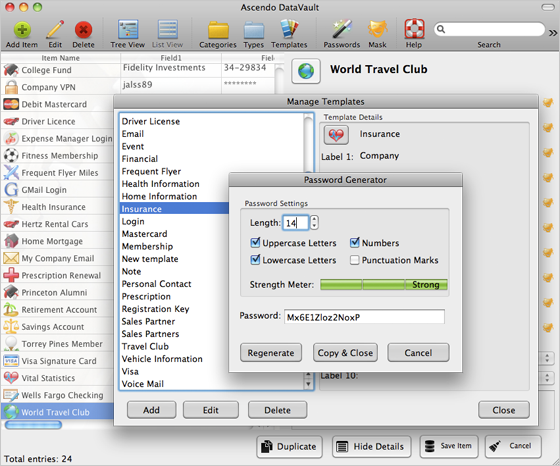
- Password generator with settings for length and types of characters.
- Strength meter to determine if passwords are weak, good or strong.
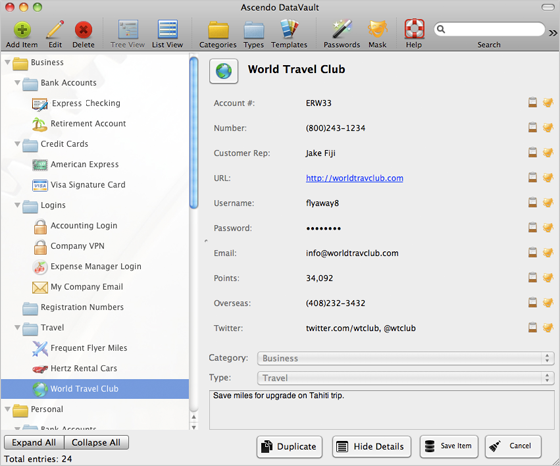
- Define an unlimited number of Categories such as Personal, Business, etc.
- Define an unlimited number of Types such as Credit Cards, Bank Accounts, Logins, Memberships, Prescriptions, Vehicle Information, etc.
- Find items quickly. Type characters to reduce list to matching entries.
- Filter items by category or type.
- Set security timeout to require master password after inactivity delay.
- Mask and unmask fields to protect information from prying eyes.
- Set maximum login attempts before auto-destruct.
- Select master password hint. More below...
Click for full screen image.
|
 Excellent app!
|
|
by Lyle Berman - Download.com
|
"Very useful and reliable password manager. Syncs perfectly between the Mac and the Blackberry. Very responsive technical support. I like everything about
this application." |
|
See all Reviews
|
|
|
Powerful Encryption to Secure your Data
Protect your data with Advanced Encryption Standard (AES), the official recommendation of the National Institute of Standards & Technology (NIST).
Why is this important?
The National Institute of Standards and Technology (NIST) chose the Rijndael algorithm as the new Advanced Encryption Standard (AES)
over alternatives including Twofish (successor of Blowfish), Serpent, RC4 and MARS. The announcement concluded a multi-year effort working with government, industry and
academia throughout the world. Proposed by two Belgian cryptographers, AES has emerged as the clear winner and has since been adopted as a worldwide standard.
For more information, click here.
|
|
Requirements |
|
| Ascendo DataVault for Mac requires Mac OS version 10.5 or above and 5 Meg of free disk space. |
|
Download DataVault with 30-day Free Trial now!

|
| Special Offers |
|
| DataVault for Mac is currently on sale for $9.95, 50% off of the list price of $19.95. |
|
|
| Other promotional offers may be found on our Facebook Page. |
|
|
|








 Protects confidential data using powerful encryption and advanced security features.